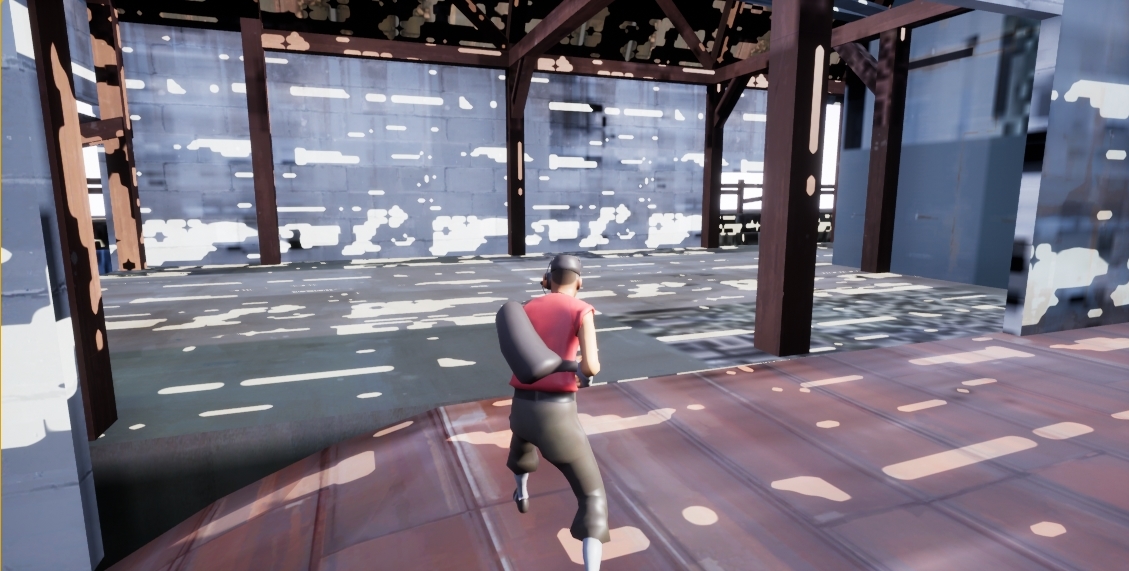
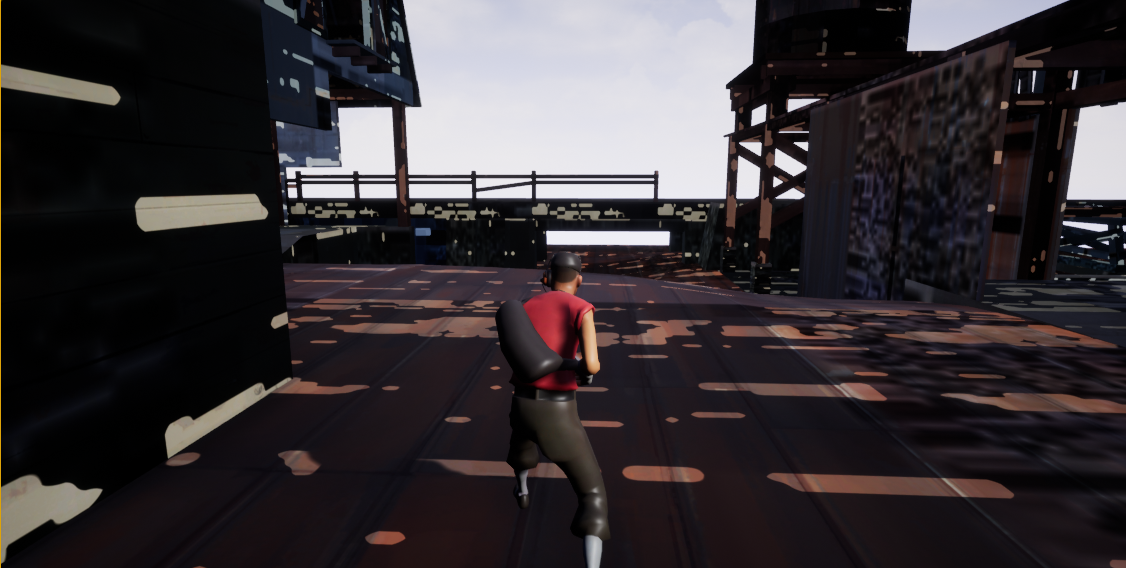
Strange lighting after rebuild.

(I tried posting this on the answerhub, but it wouldn’t let me past the loading screen.)

Hey all,

I’m very new to unreal, and I’ve been messing around with importing models and animations from other games etc.

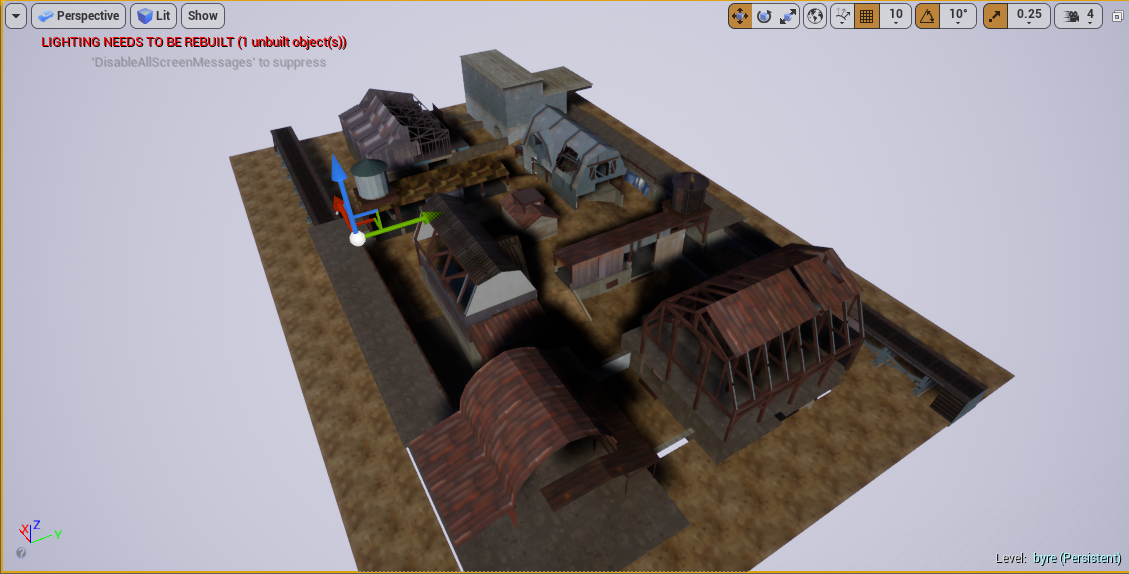
I’ve imported a mesh which will act as a “map” for the player, but encountered a problem when rebuilding the lighting.

Before the lighting rebuild: https://i.gyazo.com/ca01fbc9c7b9dc32392aa812f1379002.png

After the lighting rebuild:

Any help is appreciated.
Cheers :slight_smile:

Fix your Lightmap UVs

Hey there, thanks for the link. I read through it, but I couldn’t see where or how I could fix the lightmap UVs. I opened up my mesh in UE4, and its lightmap resolution is 64. I also noticed that “Generate Lightmap UVs” was checked. Would that have anything to do with the problem? (also, sorry if I missed out anything on that page you linked me. I’m still very new.)

you create lightmaps in 3ds/maya/blender just like texture uv’s but use the guidelines in Raildex_'s link to optimize them

Also, if you imported as one object you should not do that, you can only have one lightmap per object so if it’s very big then you can’t get enough detail even with a high resolution lightmap. First split off objects that use the same material.