You could have a detail roughness (thats very huge) to break up the distance.
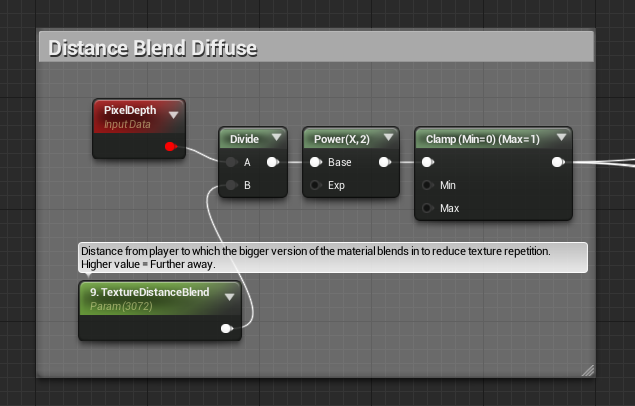
You could also set up a few nodes so that in the distance the same material is bigger and looks less repetative.
http://i.gyazo.com/7052bf0bed211756378c0f1d7fb89e04.png < use that as the alpha of a lerp, then combine two of the same materials.
A being the regular sized one, and B being the same texture but 4x as big (with a texcoord node).
This will make your texture less repetative in the distance.
Another way to do this is by checking out this: http://gametextures.com/blog/2014/09/30/using-gametextures-in-unreal-engine-4/ I think its on the 2nd page, it shows how to set up a roughness detail texture… but obviously can also be used for normal/albedo/other stuff 
Hope that helps.