I would be down for a video tutorial on blueprinting a Material Instance for a terrain with multiple tessellated textures ( 3+ )
Would be extremely useful!
I would be down for a video tutorial on blueprinting a Material Instance for a terrain with multiple tessellated textures ( 3+ )
Would be extremely useful!
Excellent tutorials so far! Could you possibly do a tutorial on moving an object along a spline like a train on a track for example that is controlled by forward and backward keypress. Thanks much in advance!!
This is an incredible resource for people! Thank you for sharing your knowledge.
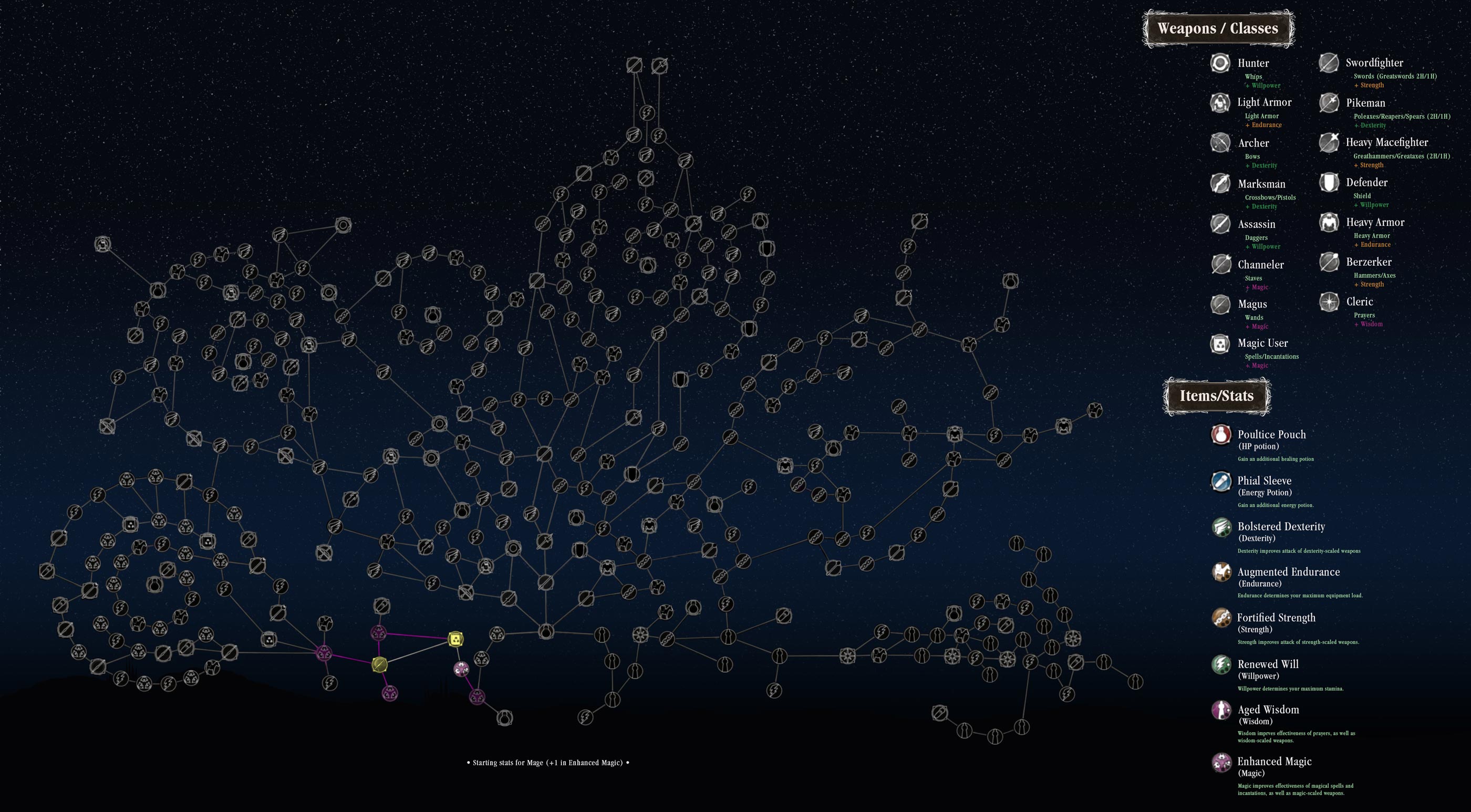
I’ve been pondering how to create a Bluetility that would make it easy to create skilltrees of the type “Skilldrasil”. Like the ones seen in Path of Exile (http://i.imgur.com/kof6e4x.png) or for instance… Salt and Sanctuary (http://saltandsanctuary.wiki.fextralife.com/file/Salt-and-Sanctuary/salt-and-sanctuary-skill-tree.jpg).
What this system would include, to be clear:
*A way to see and interact with the tree in game
*A visual connection between nodes, and the creation of these connections
*Creation of new nodes and their placement in the tree
*Choices on what makes the nodes avaliable (World events or unlocking at least one or several connecting nodes)
Anything along these lines would be immensily helpful!
Thanks!
I’d love a tutorial on creating a multiplayer join team lobby that waits until all players are accepted and starts a countdown til the match begins(like Csgo/Rocket league)
It will be nice , a tutorial for Multiplayer IA with differents behaviours like , attack melee , changing behaviour between ranges…
I would be happy about some advanced savegame object tutorial. All the available tutorials teach the same, tell you what the save and load nodes do. But that’s nothing one can’t find out when taking a look at these nodes. These tutorials aren’t very helpful.
I would be happy about learning some kind of best practices with the savegame object. Where to use the save and load nodes in multiplayer games, what’s the best way to save an object when it’s spawned during game and such things.
[=dodi;661624]
I’d love a tutorial on creating a multiplayer join team lobby that waits until all players are accepted and starts a countdown til the match begins(like Csgo/Rocket league)
[/]
I’ll that that to the list!
[=JJ_Jacks;661773]
I would be happy about some advanced savegame object tutorial.
[/]
I can do this! I’ll add a one-shot tutorial explaining real-world usage and techniques, as well as best practices. Later on, I’ll be making an advanced tutorial for saving games in RPGs.
[=Mireneye;661569]
This is an incredible resource for people! Thank you for sharing your knowledge.
I’ve been pondering how to create a Bluetility that would make it easy to create skilltrees of the type “Skilldrasil”. Like the ones seen in Path of Exile (http://i.imgur.com/kof6e4x.png) or for instance… Salt and Sanctuary (http://saltandsanctuary.wiki.fextralife.com/file/Salt-and-Sanctuary/salt-and-sanctuary-skill-tree.jpg).
Anything along these lines would be immensily helpful!
Thanks!
[/]
This is quite a lofty goal! I’ve just started and RPG tutorial series, and skill trees/ stat leveling is on the list of tutorials, so keep an eye out for me.
I would love to see a tutorial on how to set up an aiming system of aiming up and down, similar to the original Resident Evil games. Maybe with lock-on system as well?
New Tutorial, changing game settings with a UI!

[=Zadeon;688844]
I would love to see a tutorial on how to set up an aiming system of aiming up and down, similar to the original Resident Evil games. Maybe with lock-on system as well?
[/]
I can look into that!
I had alot of things I wanted to get done on Unreal Engine but couldn’t because there wern’t tutorials written yet on
the things I wanted to do.
A save system that reads all the variables of the game from a data text table or data struct list…
My game has got several thousand variables in it in the batch version of it the game that is, so to put this
kind of game into unreal engine it would have to be put into a data struct or in a text table yet as I don’t know
how to set that type of save system up in the blueprints but the tutorials I saw that were on saving were shown for
small save systems linking up the nodes together to save all the variables.
A 3d nebula that you can fly your ship through with opacity transparency, I would like to one day see a
tutorial on how to make that… And a particle effect to create swirling energy currents or dust particles
inside of the cloud to create blending transitions of cloud density.
Talking dialog system with lip synching character portraits with audio instead of text)
DIALOG TRIGGER ISSUE: Main problem I been having is the array is picking out the text at random but its trying to display up every
entry from the array at random causing the text to behave like a carousel instead of picking just one entry at random from the array from 1-12 or whatever I set the dialog table row range at and then only display that entry up on the screen while I’m inside the trigger. I don’t want it to try to display at random all 12 of the text entries in the widget, I want it to display just 1 of the entries from the array. So this is a little bit advanced for what I am trying to attempt…This is not been resolved yet…
I Not only have to get the string array to locate the text in the data dialog table but also to get it to play also the audio file
that’s associated with the dialog text speaker as well. I don’t know how to set that part up yet. So I’ve only got the
text part working. And once you got that going, then you got to get it to display the Player Portrait.
I have got the text dialog working, but the array is not working quite right yet for it. Do any of you guys know how
to get it working right? I’ve not had years of experience with these blueprints but Here’s the code.
)
I found unreal engine to be pretty hard to try to code in as I don’t have alot of knowledge with it.
[=tozan;688946]
How about a save system that reads the variables in from a data text table or data struct (for big rpg games with lots of variables in them) so we can
save every flag in the game and just load them all back in again like you do with game checkpoints to carry on in the game where you left off. .
In my batch version of my game, I have over a couple of thousand of these save variables down in the save routine section. But I haven’t
put all this into either a Blueprints data struct or in data text table yet as I don’t know how to set that up in blueprints yet.
[/]
I’ll address this in my RPG series! 
Sounds great, now we just need to find out HOW TO get it to turn off the music when exiting the window from the game when playing a movie
with media player. because at the moment there’s no way to shut the music off after you exit the window and go back to the editor… Also if
I load in a mp4 made with Crazytalk 8 which I made of my character talking voice dialog the movie shows up with lines and stripes on the mini screen instead of getting a clear picture showing my character talking. I don’t know why its doing that. Anyone got a fix?
Here is Part 2 of my RPG Tutorial Series!

Hi there.
Thanks you for your vids, I’ll definitely give them a watch when I get a chance. While you’re at RPG, do you think you’d be able to do a dialogue/NPC interraction system tutorial.
[=GoyetteQC;692387]
Hi there.
Thanks you for your vids, I’ll definitely give them a watch when I get a chance. While you’re at RPG, do you think you’d be able to do a dialogue/NPC interraction system tutorial.
[/]
Part 2 shows how to interact with objects, but I will be doing a further in depth tutorial about ai/ npcs
Music player blueprint
[=Ascendancy;643625]
Hi there, my name is Zachary, and I run NonLocality Software. I’ve been using UE4 since launch, and have become skilled in using blueprints, and want to share some of my knowledge in the form of short video tutorials. I don’t really know where to start, so I figured I’d take requests.
[/]
Hi there!
Can you make a tutorial explaining an example of in-game store where you use coins or real money to buy items? Also where they could buy and download DLC’s.
Thanks for sharing your skills and knowledge with us, and using your time for all this interesting videos 
Hello, I just love your tutorials. I agree with everyone you give very good details when you describe what you are doing.
I’d love to request a tutorial on how to make
a player anim blueprint that has 2 different state machines(modes)
walking/flying.
I have 2 dragons that ill gladly share with you if you want
The issue im having is making it when he goes into the movement component mode “flying”
he is still using the walk animation and it looks horrible. hahaha
i can show you what I have myself maybe you can extend that?